Make an editing project portable without losing its media
A project catalogue and its linked files need to cross machines together.
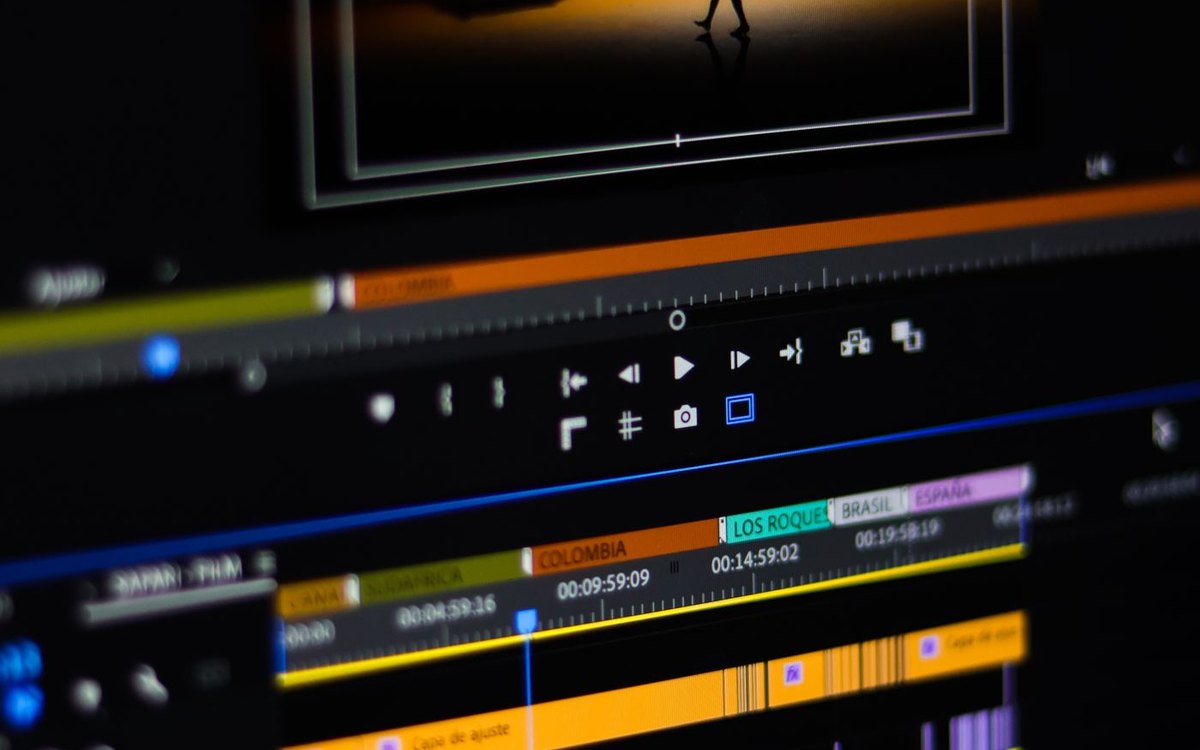
A video editor can save a beautifully organized sequence while referring to footage held in five different folders. That separation is convenient on the machine where the sequence began. It becomes a liability when a deadline requires moving the job to a different computer. Use the application’s collect or consolidate operation if available and read which media, proxies, fonts and plugins it includes.
Make a test copy
Save a copy of the project under a new name. Structure the destination with distinct directories for footage, audio, project files and exports. Then close the editor and disconnect the original drive before attempting to open the new copy. This exposes links the software would otherwise silently resolve from the old location. Include a simple text note for expected application versions and any licensed assets that must be installed separately.
Use export tests as a final check
Scrub each sequence and make a short test export. Look for missing titles, muted channels and unrendered effects. Where an editor replaces camera media with proxies, test the relink back to originals before final output. Store a complete review export alongside a project archive if future viewers may lack the same editing software. The archive is valuable when a collaborator can reconstruct the cut without asking where the old drive lives.
Identify the dependencies in the project that exists today
Begin by listing anything a person needs to reopen the current revision and make a meaningful edit. Media in a catalogue may appear under helpful names while the actual file lives on a desktop, external drive or service folder. Locate the source for a few representative clips by using the application's file information. Look separately at fonts, titles, color presets, stills, music, external audio, custom transitions and effects. A small project can have dozens of unseen links if people bring in material through drag-and-drop. Many application projects also depend on settings saved outside the project document. Look for a supported way to store those settings inside the archive or document how to restore them.
In a recording session, the dependency might be a library of samples or a software instrument. Its edit data may reflect which notes to play, while an external plug-in produces the actual sound. Ask whether the destination computer has the same library, which version it can run and whether the license is available. For a handoff with uncertain software, consider exporting synchronized audio stems, such as dialogue, music and relevant effects as separate files alongside the editable session. Include a clean picture or sound reference exported at the current settings. These files serve as practical references if a missing add-on changes what the timeline produces.
Test consolidation with work you can afford to duplicate
Save and close the master before attempting a move of an active project. Create a copy and select one representative set of media and edits to practice collecting. Include a media file used only in a nested sequence, a title loaded from another folder and at least one track with a linked external asset. Media collecting tools may offer to include every imported item, only items used on a timeline, or only protected project data. A trimmed operation may be suitable for a narrow handoff and a poor choice when an editor needs room to extend each cut. Inspect what your application promises and which option you selected.
Notice whether the tool rewrites links to the new location and whether links to anything outside the package remain. Copying every folder without risking removal is often useful while finding a stable layout. The exported archive can later be refined if a movie's unused source material makes it too large for the destination. Document known exceptions, like a font available from a licensed shared library. If a file is copied manually, preserve the associated reference and verify it opens when the original location is out of reach. A checker who opens the test with both drives connected may inadvertently certify a package that still depends on the first machine.
Decide which branches should travel
The next editor might need only the approved cut and its unused margins, or they might need background material that never entered any sequence. Ask what change they could plausibly make. A teacher preparing a two-minute excerpt might need a full run of a three-minute speech even when the current sequence includes only the last thirty seconds. A festival package may need its finished export, caption file and permission records. A long-term owner may need all of that plus the complete source library. The archive's purpose defines what the receiving editor can do without calling you. Give the current branch in the package a name that can be distinguished from discarded attempts.
Take care with dynamic links between applications. A motion graphic in a video project may still read a separate design composition. A design project can in turn reference font libraries and other artwork. Preserve both editable source structures when they matter, and export an appropriate finished intermediate that can be substituted if the second program is unavailable. A rendered file with transparency can serve as a replacement title if delivered correctly, but watch that the rendering retains a suitable color interpretation, frame rate and duration. Keep one clean reference visible so the recipient can distinguish a reconstructed title from the original, where a system change makes them look different.
Avoid identical names pointing to different media
Projects often include files still carrying names based on a device's internal counter. A camera and a phone might both create a similarly named clip, and the editing app may match files using more than the displayed name. When relinking, compare meaningful properties such as clip length, content, orientation and timing. Manually verify two or three matches before accepting a bulk relink. A clip representing the right day can still be the wrong angle in a multi-camera scene. Export a sequence containing a few named subjects and a visible edit, then compare it against the reference.
Case differences between names, very long paths or unusual characters can make a file package harder to move across systems. A rename introduces another kind of link change, so normalize names thoughtfully before rebuilding important associations. When the application supports editorial aliases that differ from real filenames, take note of both for problematic files. If you package a project as a single archive, verify filenames and size after extraction and test write access in the new folder. When using file synchronization, ensure the full media files are available offline. A placeholder that points online is insufficient for a project that will be edited away from a network.
Test a revision rather than only the opening screen
Ask a collaborator with the actual receiving computer to make a trivial test edit from a copy. They could extend a shot, change a caption and export twenty seconds with the sound and titles active. Check that a frame expected from the original file is present and that a custom graphic opens. Ask them to identify the reference export and any condition noted in the package. Set aside all credentials and licensed materials that cannot be transferred to that person. A concise setup note can explain how an authorized recipient obtains a plug-in or font through existing channels.
If the project is intended to remain offline, run the test with the network actually unavailable where practical. Check for a needed first-time sign-in or installation ahead of time. Where necessary, make an ordinary read-only backup of the complete package before performing a local repair or an app upgrade. Turn one copy into the working folder and leave the archive alone as a return point. From there you can verify what happened without relying on a location or license that happened to work for the original editor. The ready-to-move project is the one whose second owner can finish a small change and reproduce the result you agreed to preserve.
Plan a route back if the new machine changes the project
A newer application may open an older project and save it in a form the earlier application cannot read. Before accepting a conversion, keep the earlier version and note the version in which you opened the working copy. A first export from the newer application can confirm that the visible cut survived before someone makes irreversible decisions on the migrated timeline. If the delivery will be shared with two editors, agree which file is authoritative and whether ordinary export formats can carry selected changes back. Even when a project interchange format exists, it may omit effects, precise titles, certain audio or grading choices. Try it on one of the actual scenes.
Record important properties that can be difficult to find later. For an audio-first project, note sample rate, channel layout and the name of the approved reference mix. For a piece with graphics, note the intended frame size and where any alternate editions live. Store captions, review videos and permissions records in an appropriate place a recipient can access within their role. A list of expected contents lets them recognize a missing component before making big changes on top of a partially opened copy. If a library must never leave an approved storage service, keep it there and describe how an authorized second machine obtains access. A handoff needs the recipient's environment to support the intended work, whether the material travels on a drive or is retrieved through managed storage.