A review folder that makes the current version obvious
A clear file handoff saves a creative team from approving yesterday’s export.

A designer exports new drafts late in the day, a colleague comments on an earlier file and both people are right about what they saw. A useful review folder gives the current version an unambiguous home. Use a project identifier, a version number and a short label in file names. Keep older versions in an archive directory outside the default review view.
Put decisions near the files
A one-page change note should identify what the latest version changes and what the reviewer is being asked to decide. A timecode or an exact page number makes feedback easier to act on. If the review system can preserve comments across versions, check how it handles deleted scenes or pages. Otherwise keep a decision log in a format that survives the current platform.
Check access from a second account
Preview the folder with the permission level that reviewers will receive. Try opening it on a phone, make sure the original source files are visible only where needed, and check expiration if links are time limited. Direct viewers to the same address for later versions. Record approval against an exact export name before delivering the final copy. The best folder structure shows what is current, what changed and which feedback the team can still act on.
Keep the current pointer stable and each revision distinct
Imagine a four-page public program that gets revised three times in one week. The organizer needs the time and location checked, the designer needs approval of a particular image placement and a printer needs one approved PDF. If the newest export hides older files with the same name, short emails may continue to point to cached versions or downloaded attachments. A folder can give people a stable place to begin without giving every derivative an identical name. One easy arrangement is a clearly marked current view with a short index and one linked file whose actual version appears in its name. An archive folder holds earlier work with no need to change the opening address for each round.
The file naming rule can be small. Include a recognizable project name, a regularly incremented revision and the kind of output. A date is useful for knowing when a file entered circulation, while a revision differentiates two exports on the same day. If the file will appear only through a viewer with a friendly headline, preserve that machine-level difference underneath. A project owner who opens an old downloaded copy still needs a way to recognize it. Put a useful edition label inside a private review export when possible. It can be removed from the deliverable if readers shouldn't see it.
Ask a specific question with enough context to answer it
A review request can fit in one or two sentences if the expected decision is clear. “Please confirm the date, address and registration line on page two by Thursday at noon” tells the reader what evidence matters. A broad request to “take another look” can produce pages of new style feedback after the facts the team actually needed have been settled. Indicate what changed since the preceding version and note where a decision has already been made. Keep a link to the general brief for a new reviewer. It shouldn't be necessary to get the story of the entire project from a chat log before confirming a venue name.
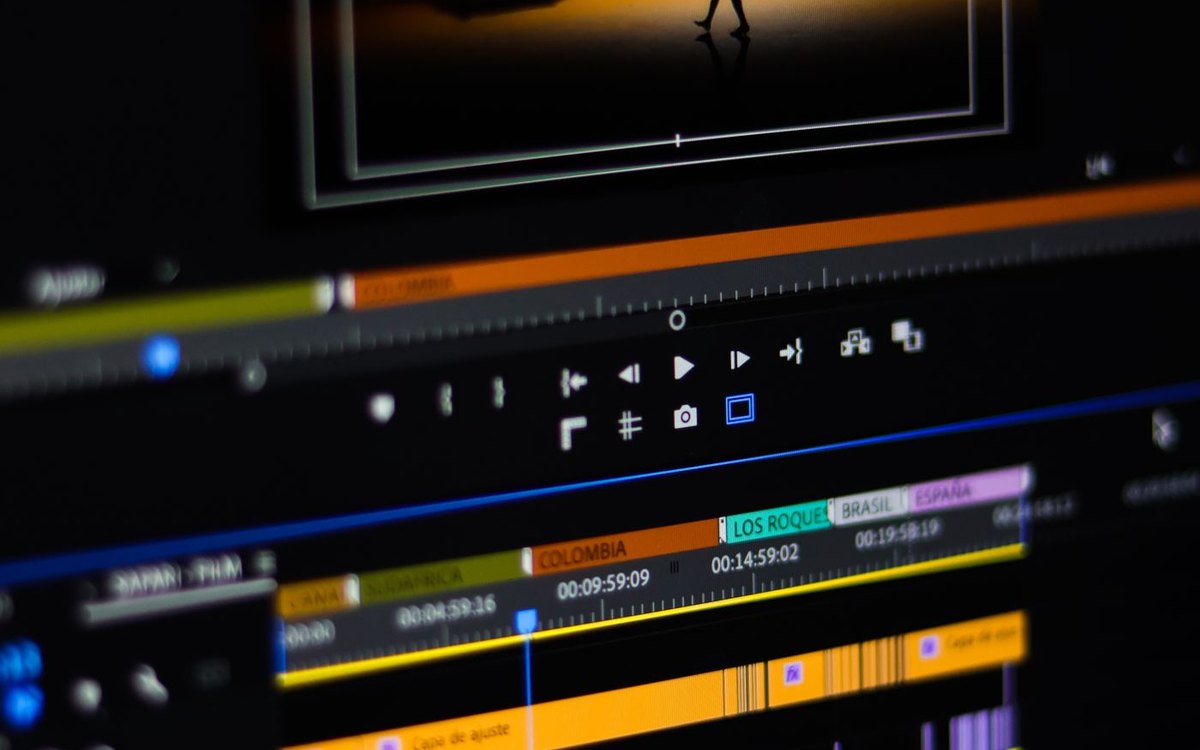
Give reviewers a repeatable way to locate a problem. Page and paragraph, timestamp and scene, slide title or a named screen can all serve. A screenshot or a short quote is helpful when the platform uses position-specific annotations. When reformatting an item moves the content, repeated labels or a small decision log can preserve what a comment means. If a project has several cuts, record which revision a comment belongs to. An annotation that stays pinned to the same number after an edit can look active while referring to a completely different shot.
Separate suggestions from release-blocking corrections
At the start of a review, list the kinds of changes the owner wants from each person. A factual correction can need resolution before distribution. A stylistic preference can be weighed with other preferences without becoming an automatic task. Let reviewers label each according to a short method people can remember. After the latest round, record the actual decision and important rationale. That can be a line on a version note rather than another meeting. If the organization revisits the same proposed edit next month, it can see who checked it and what evidence changed.
When two reviewers disagree, verify they were looking at the same revision before debating the content. Ask for the exact visible label or location where they reached their conclusion. A spacing comment made in a portrait view may concern a different actual output than one made in a wide PDF viewer. Compare what each received and decide whether both issues need fixes. Give a clear result to each reviewer who raised an item. A small project may need no formal change tracker, but it benefits from a known place to see that a requested correction made it into the next version.
Give reviewers only the access the exercise requires
List the people who need to open it, the people who need to comment and the ones who may replace a file. These groups may all be different. If an outside collaborator needs to see a clean export, separate it from source images or sensitive notes. Open the review view using an authorized test account with the same access. A link that works for the owner can be unusable from a second service identity or a browser that isn't logged in. If the files must remain private, check expiration and any organization rules before approving the share. A good review should be possible without temporarily opening a working folder to anyone with the link.
Access also varies by device and download settings. Check whether a typical phone can access the last page or open an attached caption file. If the viewer combines annotations and playback, verify that people can read timestamps. Older exports are useful evidence and can remain available to the production team without crowding the newest version's entry point. Where someone genuinely needs to compare two versions, link both by their labels. A review system that forces people to guess whether an “Open” button goes to the intended revision will eventually produce a confident approval of the wrong item.
Record the approval a delivery team can trace
Give the approving person something concrete to signal, such as a file identifier, specific cut and destination. A statement like “approved revision 4 for the public PDF” travels more clearly than a reaction that appears under a thread containing four versions. Record the date and scope of the approval. If the printer receives an export with color, page size or crop marks different from the review file, note the relationship and run any required physical delivery check. Preserve the clean public file separately from the working document and keep the approved review version in the archive. A change after approval should receive its own revision and a clear description of the differences reviewers need to evaluate.
Try running this procedure with a small internal handoff. Have one person locate the current file, leave a note and return later to find the response. Then ask a second person to find the approved version from the delivery record. If they both reach the intended files without prior knowledge, the organization can likely keep the arrangement working through a busier project. The most helpful feature is a clear path through the normal work, not a set of elaborate document conventions nobody has time to follow.
Make room for content that must move quickly
Consider a deadline where a factual update arrives after the team has signed off on all visual design. Record the old approval as applying to its exact version, create the new export and ask the person responsible for the fact to authorize the change. If reviewing the whole design again would take too long, give them a before-and-after or a short note telling them what changed. Check that any programmatic substitutions actually reached every intended output. Sending one slide from the new deck beside a PDF made from its old copy makes future feedback confusing. A release checklist can use the same identifier across formats when a known group of files is delivered together.
Define what happens when the reviewer can't access the current file before the deadline. A read-only PDF or a short private copy can be a practical fallback, but record which edition was sent and bring the resulting decision back to the shared record. Keep the bigger production folder private while resolving access. If an email reply is the only option, ask the reviewer to include the exact version, affected section and requested change. On receiving it, put the decision beside the current file and notify the colleague responsible for acting on it through the team's normal channel.
After publication, test the delivered file from its audience's view. A task can be approved in a collaborative preview yet end up using a different attachment on a website. Confirm the filename, release date and one visible, recently corrected detail. Then mark that delivery complete where collaborators will look for the next revision. A record an editor can find a week later protects the team from introducing an old mistake as soon as the follow-up begins.